
AR Drawing - Trace & Paint
Hypernova LimitedArt & Design
4.814.00 Reviews
- Version
- 1.0.8
- Installs
- 1.00M
- Age Rating
- Everyone
Screenshots

Our Review of AR Drawing - Trace & Paint
 Analysis by Appyee
Ever feel like you have the artistic skills of a toddler with a crayon? I mean, no shame if you do, but what if I told you there's an app that can magically transform your stick figures into masterpieces? Enter AR Drawing - Trace & Paint, the app that's like having your own personal art tutor right in your pocket.
Getting Started with AR Drawing
First things first, let's talk about the setup. Once you download AR Drawing - Trace & Paint, you're greeted with an intuitive interface that's as easy as pie. No complicated menus or confusing tools; just straightforward instructions to get you from zero to Picasso in no time.
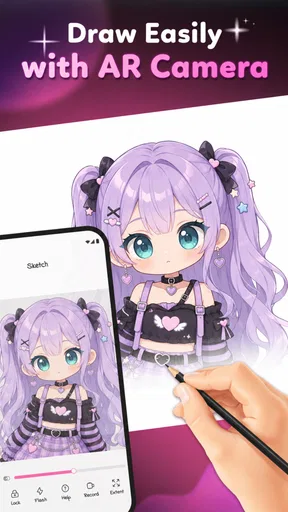
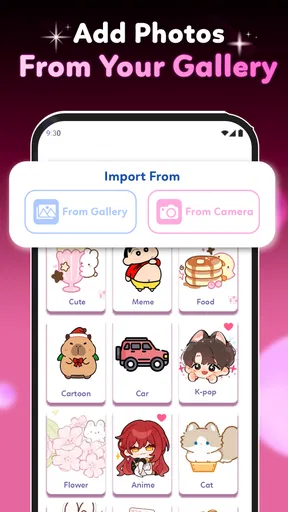
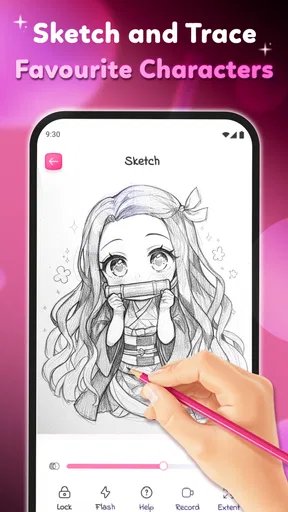
As soon as you fire up the app, it uses your camera to overlay images onto your drawing surface. You can choose from a library of templates or upload your own pictures to trace. This is where the magic happens. The app projects the image onto your paper, and you just have to follow the lines. It's almost like tracing with training wheels.
Features That Make You Go “Wow”
One of the coolest things about this app is its augmented reality capabilities. It feels like you're in a futuristic art studio where the canvas is right in front of you, hovering in mid-air. The app is super responsive, and the alignment of the images is spot-on. Trust me, it’s like having an art class without the messy paint and the questionable body odors.
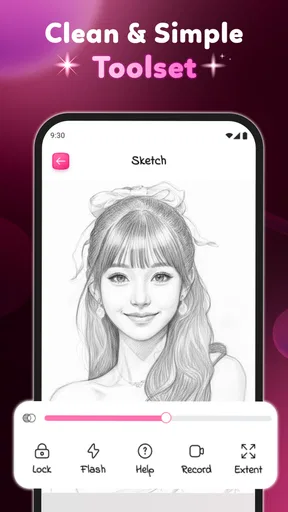
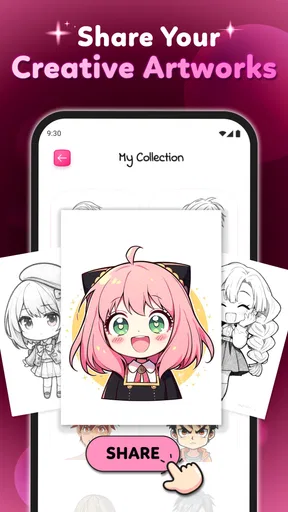
And let's not forget about the customization options. You can adjust the transparency levels of the images, making it easier to trace without straining your eyes. Plus, there are options to save your progress and revisit old projects, which is a lifesaver when you’re someone who likes to juggle multiple creations at once.
Why You'll Love It
If you're someone who’s always wanted to draw but didn’t know where to start, this app is your new best friend. It helps you build confidence in your drawing skills, and before you know it, you’ll be creating art without the need for tracing.
The app is also perfect for kids. It’s a fun way to keep the little ones entertained while secretly teaching them hand-eye coordination and patience. Plus, it’s a great alternative to screen time that doesn’t involve mindless games or videos.
Final Thoughts
So, what's the verdict? AR Drawing - Trace & Paint is definitely a worthy download, whether you're a seasoned artist looking for a new tool or a beginner wanting to dip your toes into the world of art. It's fun, easy to use, and brings a bit of tech magic into the age-old craft of drawing.
Give it a shot, and who knows? You might just discover a hidden talent you never knew you had. Grab your phone, download the app, and start tracing your way to artistic glory!
Verdict
Strengths of AR Drawing - Trace & Paint
- Easy to use interface for beginners.
- Wide variety of drawing templates.
- Supports both Android and iOS devices.
- Allows for detailed tracing with precision.
- Enhances creativity with AR technology.
Limitations of AR Drawing - Trace & Paint
- Requires good lighting for optimal use.
- Limited free content, premium features locked.
- May not work well on older devices.
- Battery consumption can be high.
- Occasional lag in AR rendering.
Other Releases by Hypernova Limited
View All
Smiley Fun Live Wallpaper
Personalization4.3

Glow Spinner: Finger Draw Art
Art & Design4.7
Similar Picks in This Category
View All
Canva: AI Photo & Video Editor
Canva4.8

PENUP – Drawing-sharing SNS
Samsung Electronics Co., Ltd.4.5

Crafto
Kutumb App4.6

Sketchbook
Sketchbook4.1

ibis Paint X
ibis inc.4.5

Adobe Express: AI Photo, Video
Adobe4.6
Frequently Asked Questions
What is AR Drawing - Trace & Paint?
AR Drawing - Trace & Paint is an innovative application that utilizes augmented reality to help users create art by tracing over virtual outlines. Users can choose from a variety of templates or import their own images, which are projected onto a surface via the device's camera. This app is ideal for artists looking to improve their drawing skills.
How does the augmented reality feature work in this app?
The augmented reality feature in AR Drawing - Trace & Paint works by using your device's camera to project a virtual image onto a real-world surface. This allows users to trace the image directly onto paper with precision. The app’s AR technology tracks the surface and adjusts the projection to ensure accuracy and stability during the drawing process.
What devices are compatible with AR Drawing - Trace & Paint?
AR Drawing - Trace & Paint is compatible with both Android and iOS devices that support augmented reality capabilities. Generally, this includes newer models with ARCore (for Android) or ARKit (for iOS), typically devices released in the last few years. Check the app store for specific device compatibility before downloading.
Is AR Drawing - Trace & Paint suitable for beginners?
Yes, AR Drawing - Trace & Paint is designed to be user-friendly and is suitable for artists of all skill levels, including beginners. The app provides a variety of templates and an intuitive interface, making it easy for users to start tracing and creating art. It’s a great tool for learning and improving drawing techniques.
Are there any in-app purchases or subscriptions?
AR Drawing - Trace & Paint offers a free version with basic features, but there are in-app purchases available for additional templates, features, and tools. There might also be a subscription option that provides access to a premium library of images and advanced functionalities. Check the app store listing for detailed pricing information.
